First Message
Configure how your assistant starts conversations.
What is the First Message?
The first message — also called the welcome message — is what Myra says the moment a call connects. It sets the tone for the entire conversation. A good opening reduces caller confusion, builds trust immediately, and signals to the caller that they've reached the right place.
Vomyra gives you two modes: the agent speaks first (agent-first), or the agent waits for the caller to speak (user-first). Choosing the right mode depends on your call type — inbound or outbound.
Note
Two conversation modes
Agent-First
Agent speaks immediately
As soon as the call connects, the agent plays your configured message. The caller hears the greeting without saying anything first.
Best for
User-First
Agent listens, caller speaks first
The agent connects in silence and waits. The caller hears nothing until they speak — just like picking up a phone and waiting for the other person to say something.
Best for
Where to configure it
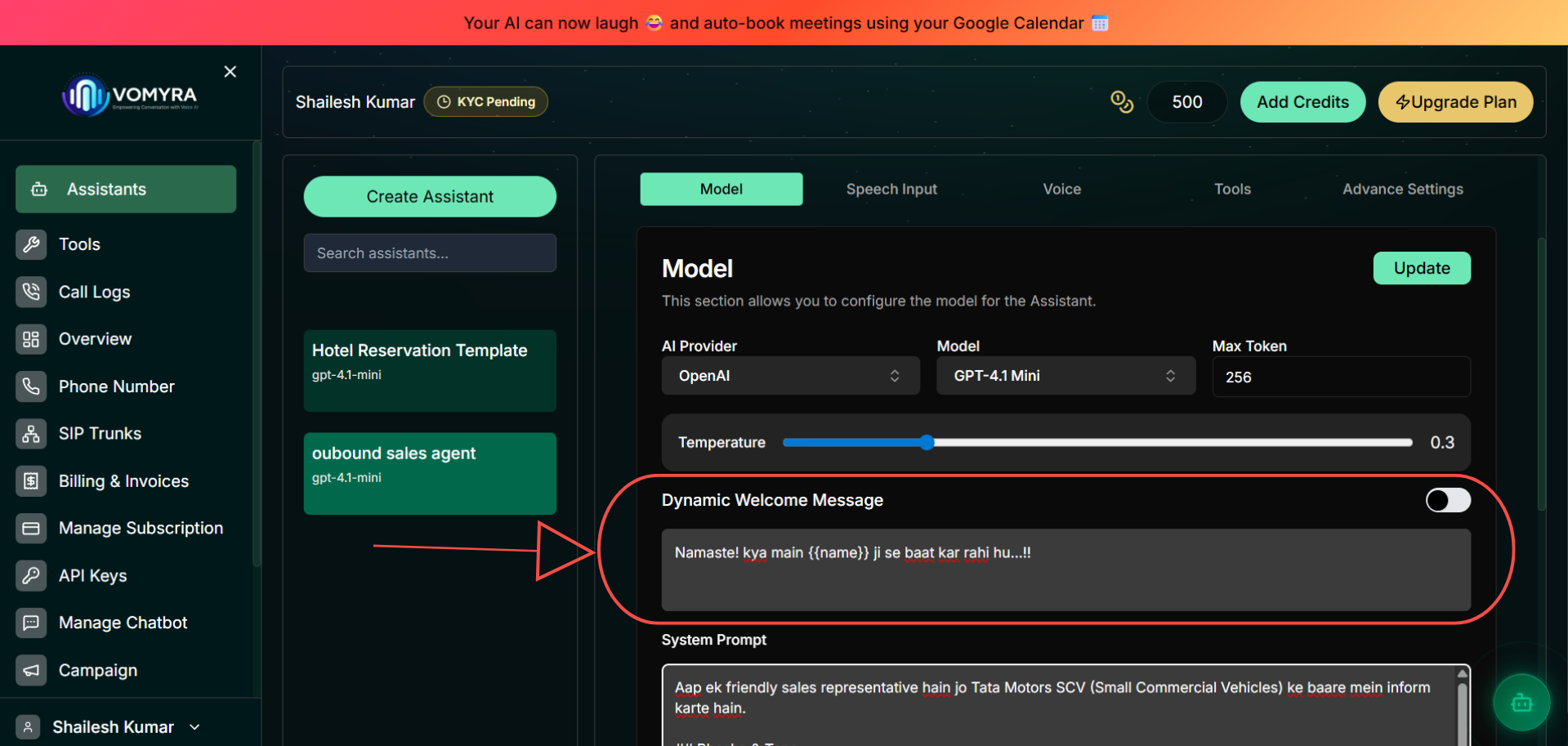
The toggle enables the custom greeting. When off, the agent generates an opening line from the system prompt.
Inbound vs Outbound
| Call type | Recommended mode | Why |
|---|---|---|
| Outbound | Agent-first | You're calling the customer — they need context immediately. Silence feels like a robocall. |
| Inbound support | Agent-first | Customers calling support expect to be greeted. A clear opener reduces repeat calls. |
| Inbound (general) | Either works | If the caller knows what they want, user-first feels natural. Agent-first is safer for new deployments. |
| IVR replacement | User-first | Callers are already used to speaking after the beep. Silence feels familiar. |