

Telnyx SIP Setup
Integrate your Telnyx SIP trunk with Vomyra to enable your AI voice agents to handle both inbound and outbound calls. This guide walks you through the complete setup on the Telnyx portal side.
Vomyra SIP Server IP: 98.70.52.39 — you will need this IP throughout the Telnyx configuration steps.
Configure Telnyx for Inbound Calls
An inbound trunk routes calls from your Telnyx phone number to Vomyra's SIP server, where your AI agent picks up and handles the conversation.
ACreate a SIP Trunk
Navigate to SIP Trunking
Log in to the Telnyx Portal and go to Voice → SIP Trunking → Create.
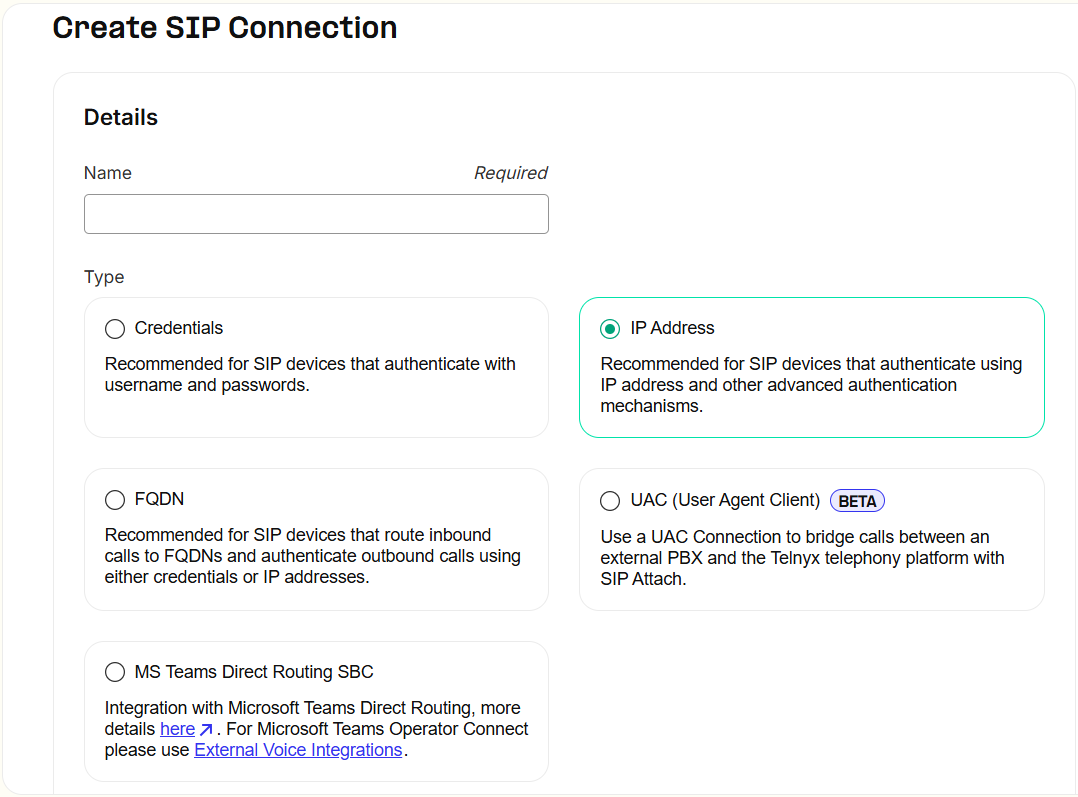
Select IP Address option
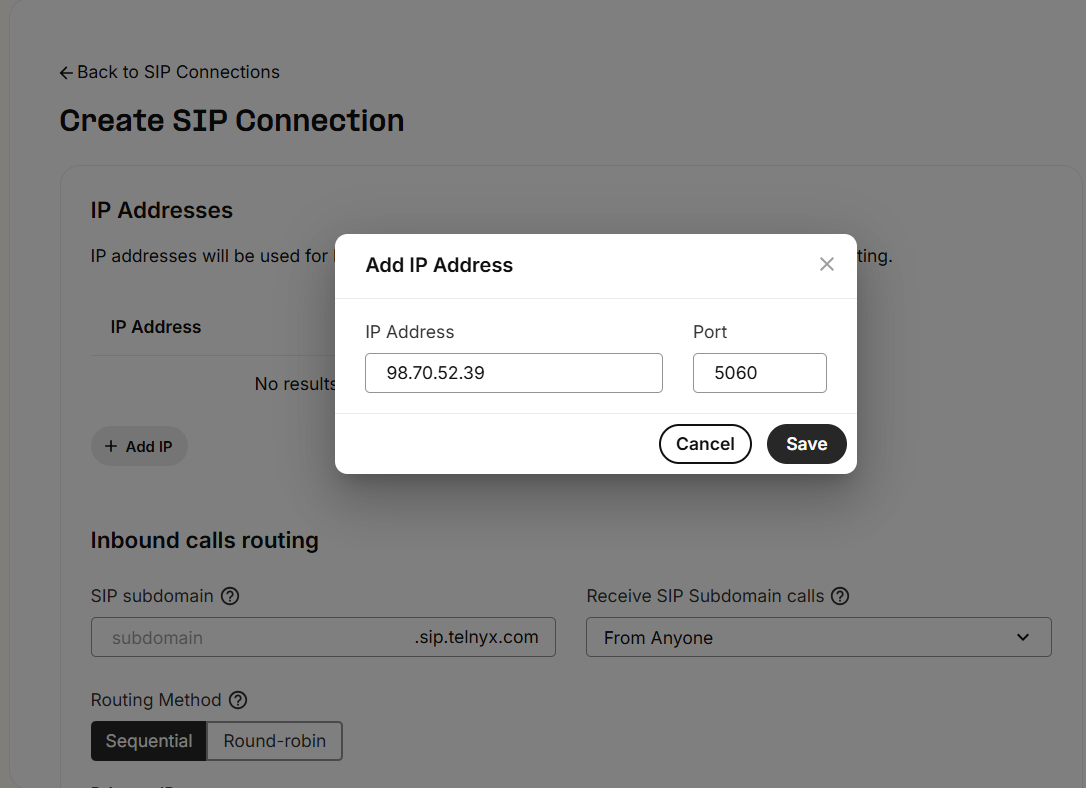
When creating the trunk, select the IP Address. Click Add IP Address and fill in the following:
| Field | Value |
|---|---|
| IP Address | 98.70.52.39 |
| Port | 5060 |
| Transport Protocol | UDP (default) |
Save the trunk
Click Create Trunk (or Save). Telnyx will generate a unique Trunk SID for your reference.
BConfigure Inbound Settings
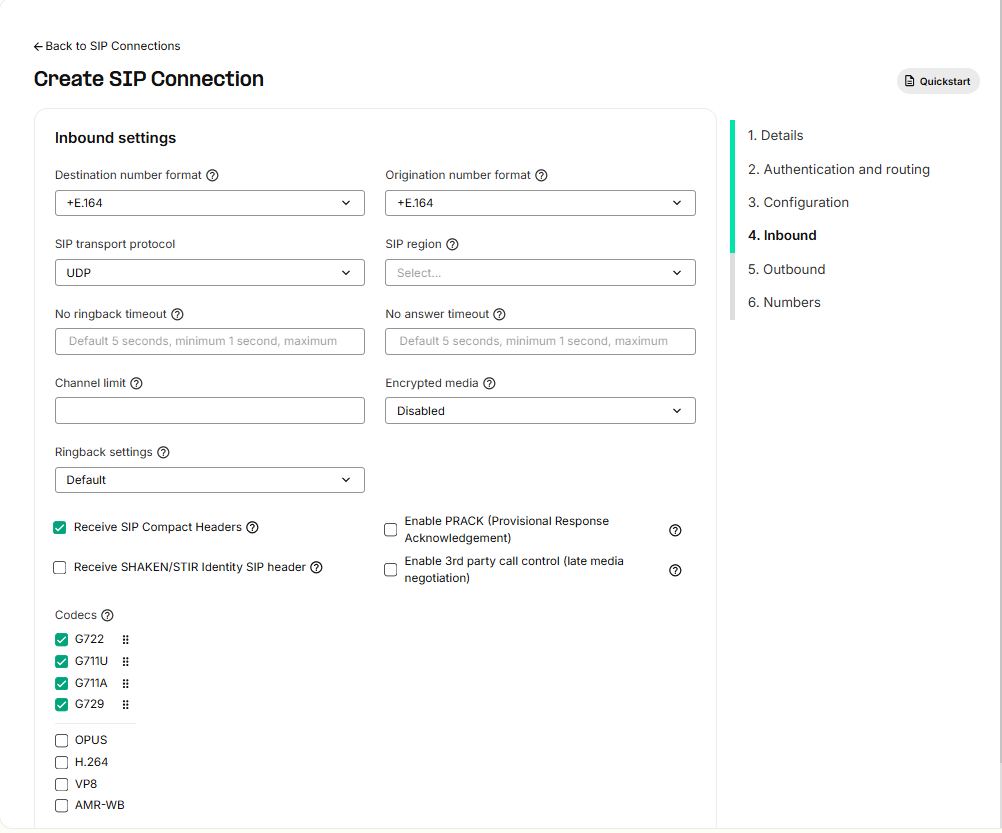
Open the Inbound tab
Navigate to the Inbound tab of your newly created SIP trunk. Configure the inbound call settings as shown in the screenshot below:
CAssign Phone Number
Link your number to the trunk
Go to the Numbers tab of your SIP trunk. Click Assign Number and select the Telnyx phone number you want to use for inbound calls.
- 1Go to Numbers tab in your SIP trunk
- 2Click Assign Number
- 3Select the phone number you purchased from Telnyx
- 4Click Save
Configure Telnyx for Outbound Calls
An outbound voice profile allows Vomyra to place calls through your Telnyx account. You also need to set up authentication credentials so Telnyx can verify requests from Vomyra.
ACreate Outbound Voice Profile
Navigate to Outbound Voice Profiles
In the Telnyx Portal, go to Voice → Outbound Voice Profiles and click Add new profile.
Configure the profile
- 1Give the profile a descriptive name, e.g.
Vomyra Outbound - 2Configure your desired call destinations (countries/regions)
- 3Leave the default codec and routing configuration
- 4Under Assign SIP Connections, select the SIP trunk you created in Part 1
- 5Click Save
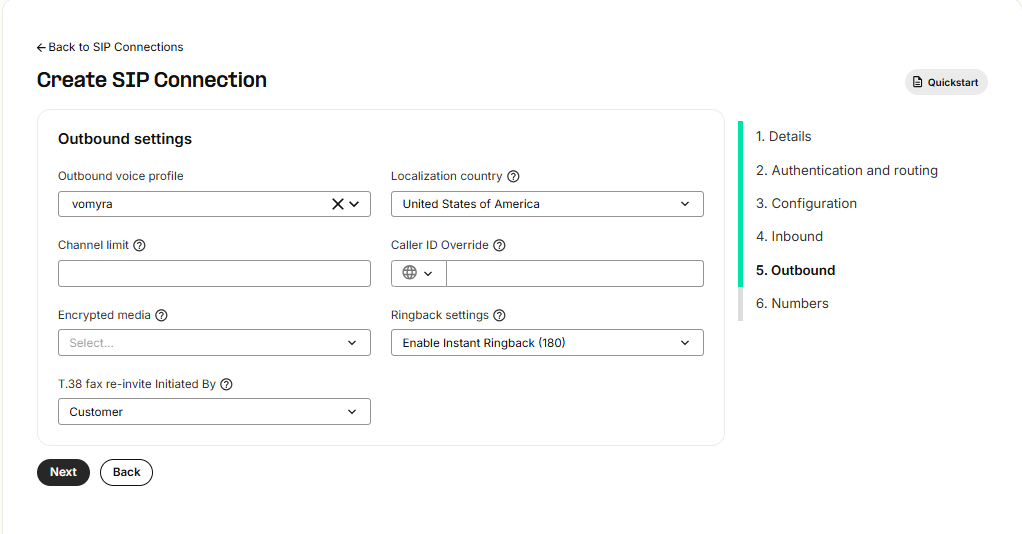
BConfigure Outbound Settings
Set call destination region
Choose the country or region where you will be making most calls. Configure the outbound settings as shown:
Configuration Summary
| Setting | Value |
|---|---|
| Inbound IP Address | 98.70.52.39 |
| Port | 5060 |
| Transport | UDP (default) |
| Outbound Gateway | sip.telnyx.com |
| Secure Trunking (SRTP) | Disabled |
| Outbound Voice Profile | Vomyra Outbound (or your chosen name) |
| Assigned Numbers | Your Telnyx phone number(s) |
Next Steps
Your Telnyx trunk is configured. Now register it in the Vomyra dashboard: